
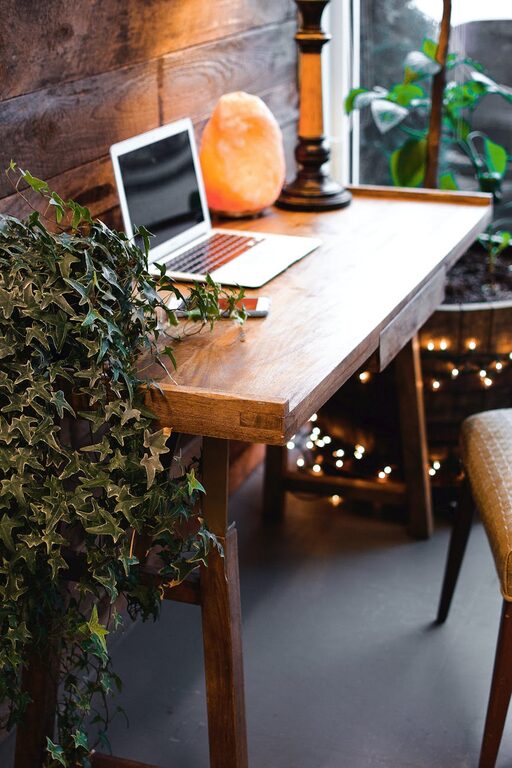
Creating a cozy and functional home office space is essential for anyone working from home. A well-designed workspace can improve focus, enhance creativity, and make long hours more enjoyable. Whether you have a dedicated room or a small corner, you can transform your home office to support your work needs while keeping comfort in mind. Here are some helpful tips to guide you through the process.
Choose the Right Location
Consider Natural Light
Position your desk near a window if possible. Natural light helps reduce eye strain and boosts mood. If natural light is limited, invest in good quality lighting that mimics daylight.
Minimize Distractions
Pick a quiet spot that allows you to focus without frequent interruptions. If space is limited, use room dividers or noise-canceling headphones to create an effective work zone.
Prioritize Ergonomic Furniture
Select a Comfortable Chair
Comfort is key to maintaining good posture and avoiding back pain. Choose an adjustable chair that supports your lower back and allows your feet to rest flat on the floor.
Invest in a Functional Desk
Your desk should be spacious enough for your computer, documents, and other tools. Consider height-adjustable desks if you like to alternate between sitting and standing.
Organize Efficiently
Use Storage Solutions
Keep your workspace tidy with shelves, bins, or drawers. Use organizers for cables, stationery, and important files to prevent clutter.
Create Zones
Designate areas for different tasks, such as computer work, paperwork, and brainstorming. This can help you mentally switch between activities and stay organized.
Add Cozy Elements
Soft Textiles
Incorporate a comfortable rug, cozy cushions, or a throw blanket to soften the space and add warmth.
Personal Touches
Decorate with items that inspire you, such as art prints, plants, or photos. These elements make the office inviting without distracting.
Temperature Control
Ensure your workspace is neither too hot nor too cold. A small fan or heater can help maintain a comfortable temperature throughout the day.
Optimize Lighting
Layered Lighting
Combine ambient lighting with task lamps to reduce eye strain. A desk lamp with adjustable brightness lets you control light based on your needs.
Avoid Glare
Position screens in a way that reduces glare. Use curtains or blinds to control sunlight entering the room.
Technology and Tools
Reliable Equipment
Use a dependable computer, keyboard, and mouse to ease your work process. Consider noise-free keyboards or ergonomic mice to minimize strain.
Cable Management
Keep cables organized and out of sight to make your desk look neat and safe. Use clips, sleeves, or boxes to manage cords efficiently.
Maintain Work-Life Balance
Define Your Work Hours
Create clear boundaries by setting work hours and sticking to them. This helps prevent burnout and keeps your motivation high.
Take Breaks
Set reminders to stand up and stretch regularly. A break every hour can boost productivity and improve comfort.
Keep It Flexible
Adjustable Furniture
Opt for furniture that can be rearranged easily to accommodate different tasks or preferences.
Multipurpose Spaces
If your home office doubles as another room, use foldable desks or storage furniture to free up space when not working.
—
Designing a home office that is both cozy and functional involves balancing comfort, organization, and practicality. By following these tips, you can create a space that supports your work and well-being, making your home office a place you enjoy spending time in. Remember, small changes can make a big difference!