
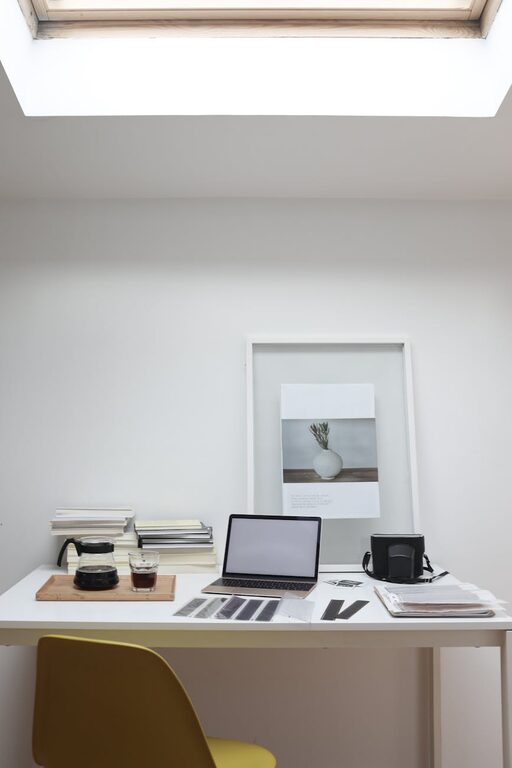
Creating a cozy and functional home workspace is more important than ever, especially as remote work and flexible schedules become common. Whether you have a dedicated room or a small corner, designing a space that encourages focus and comfort can make a big difference in your daily routine. This guide offers practical tips to help you build a workspace that suits your needs and feels welcoming.
Why a Cozy and Functional Workspace Matters
A well-designed workspace can:
– Improve focus and productivity
– Reduce stress and fatigue
– Enhance comfort for longer work hours
– Encourage better work-life balance
By blending comfort with functionality, you create an environment that supports your work habits and personal well-being.
Choosing the Right Location
Find Your Ideal Spot
Look for a quiet area with minimal distractions. Natural light is a huge plus, so try to position your desk near a window if possible.
Consider Available Space
If space is limited, use compact furniture or create a multi-use area that can be easily tidied up when not in use.
Essential Furniture and Ergonomics
Invest in a Comfortable Chair
A good chair supports your back and encourages good posture. Adjustable height and lumbar support are critical features to look for.
Opt for a Suitable Desk
Choose a desk that fits your space and your work style. Standing desks or adjustable desks offer flexibility to alternate between sitting and standing.
Organize with Storage Solutions
Use shelves, drawers, or filing cabinets to keep your workspace clutter-free. Keeping important documents and supplies within reach saves time.
Lighting: The Key to Comfort
Use Natural Light
Maximize daylight to reduce eye strain and elevate mood. Avoid glare on your computer screen by adjusting your desk’s position.
Add Task Lighting
A desk lamp with adjustable brightness helps when working during darker hours or focusing on detailed tasks.
Personalizing Your Workspace
Choose Calming Colors
Soft, neutral colors like blues, greens, and light greys promote concentration and calmness. Avoid overly bright or distracting colors.
Add Comfortable Textiles
A cozy rug, cushioned chair pad, or a small throw blanket can make your space feel warmer and inviting.
Incorporate Plants
Greenery adds life to your workspace and can improve air quality, which helps maintain focus and creativity.
Organizing for Efficiency
Keep Essentials Within Reach
Place items you use frequently close at hand to reduce interruptions during work.
Use Cable Management
Tidy cables with clips or tubes to prevent clutter and potential hazards.
Declutter Regularly
Set aside time weekly to clear your desk and organize papers, which helps maintain a stress-free environment.
Technology Setup
Reliable Internet and Power
Ensure your space has a strong and stable internet connection. Use surge protectors to safeguard your devices.
Useful Accessories
Consider noise-cancelling headphones, an external keyboard, or a mouse for better comfort and focus.
Creating Boundaries
Define Work Hours
Set clear start and end times to avoid overworking and maintain balance.
Separate Work and Personal Space
If possible, keep your workspace separate from relaxation areas to help your brain switch between work mode and downtime.
Maintaining Your Workspace
Clean Daily
Wipe surfaces and organize supplies at the end of each day to promote a fresh start tomorrow.
Refresh the Space Occasionally
Change your decor, rearrange furniture, or add new elements to keep inspiration flowing.
—
Designing a home workspace that is both cozy and functional takes some thought but is well worth the effort. By focusing on comfort, organization, and personal touches, you create an environment that supports your productivity and well-being. Start small, experiment with different ideas, and tailor your space to what feels right for you. Happy decorating!